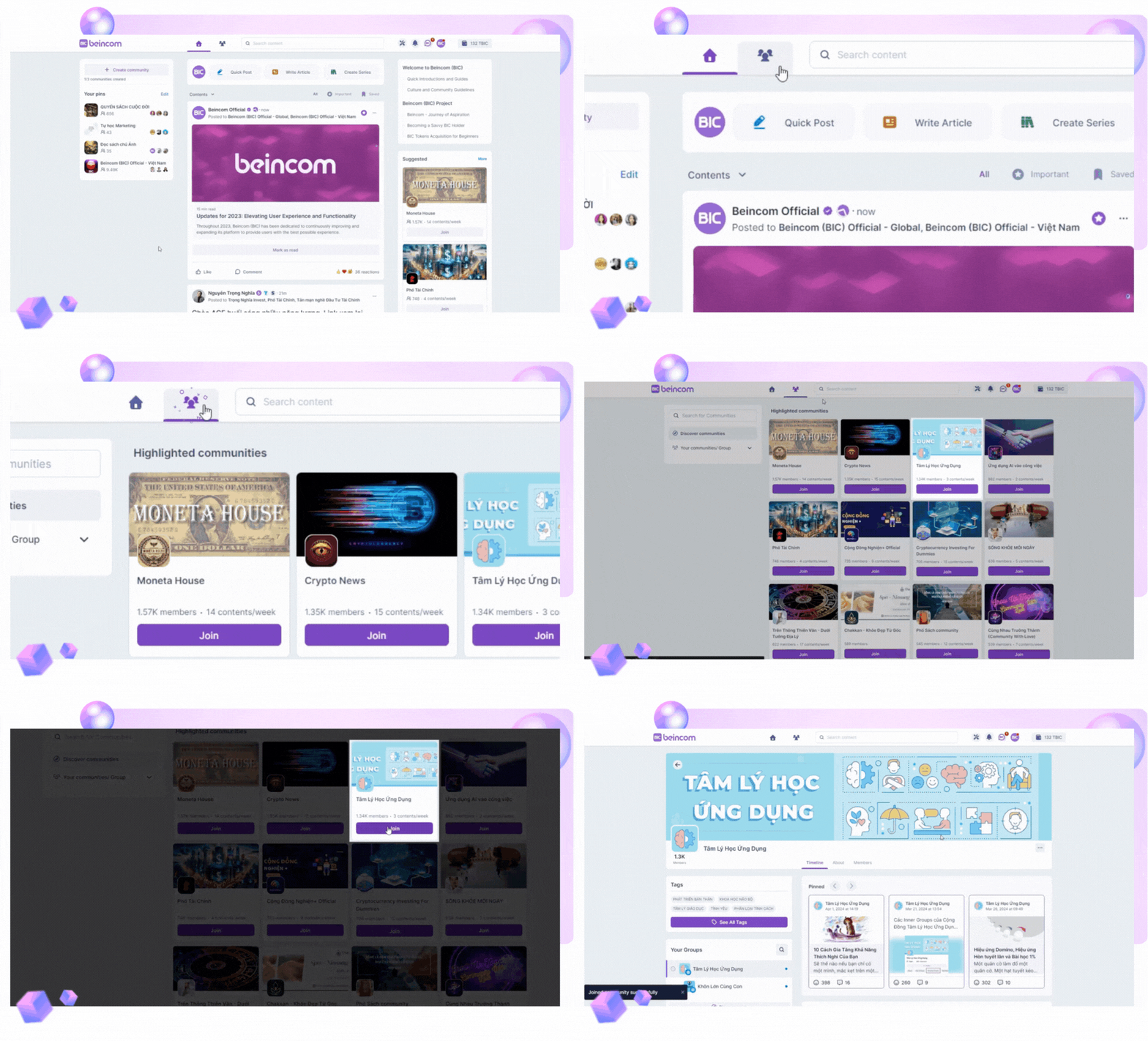
In the “Communities” tab, you can view all the existing communities on the platform.
Use the search tool by entering the name of the community in the “Search Communities” field to find both Open and Private communities, along with their descriptions to understand their focus.
Inner Circle Structure(ICS) is a new, outstanding feature on Beincom.
Within a community, there can be various inner groups, including even smaller groups within these groups. These inner circles are your spaces to deeply connect with members sharing specific interests.
Beincom supports up to 50 sub-groups with 9 levels of depth inside one single community. These sub-groups are categorized by their privacy level:
Open group
Marked with a globe icon, accessible for members to find and join.
Closed group
Indicated by an eye icon, where members can view all posts, but chatting requires joining the group.
Private group
Symbolized by a lock, contains content only viewable by group members, requiring admin approval to join.
Secret group
Shown with a shield icon, content is exclusive to members and entry is by admin invitation only.